
The Tools You Need, Designed for the Way You Work
From the first call to aftercare, MemoriaOS brings the tools you use every day into one connected platform designed around the way funeral directors work. Keep familiar processes. Spend less time moving between systems. And have the information you need when you need it.
Intake
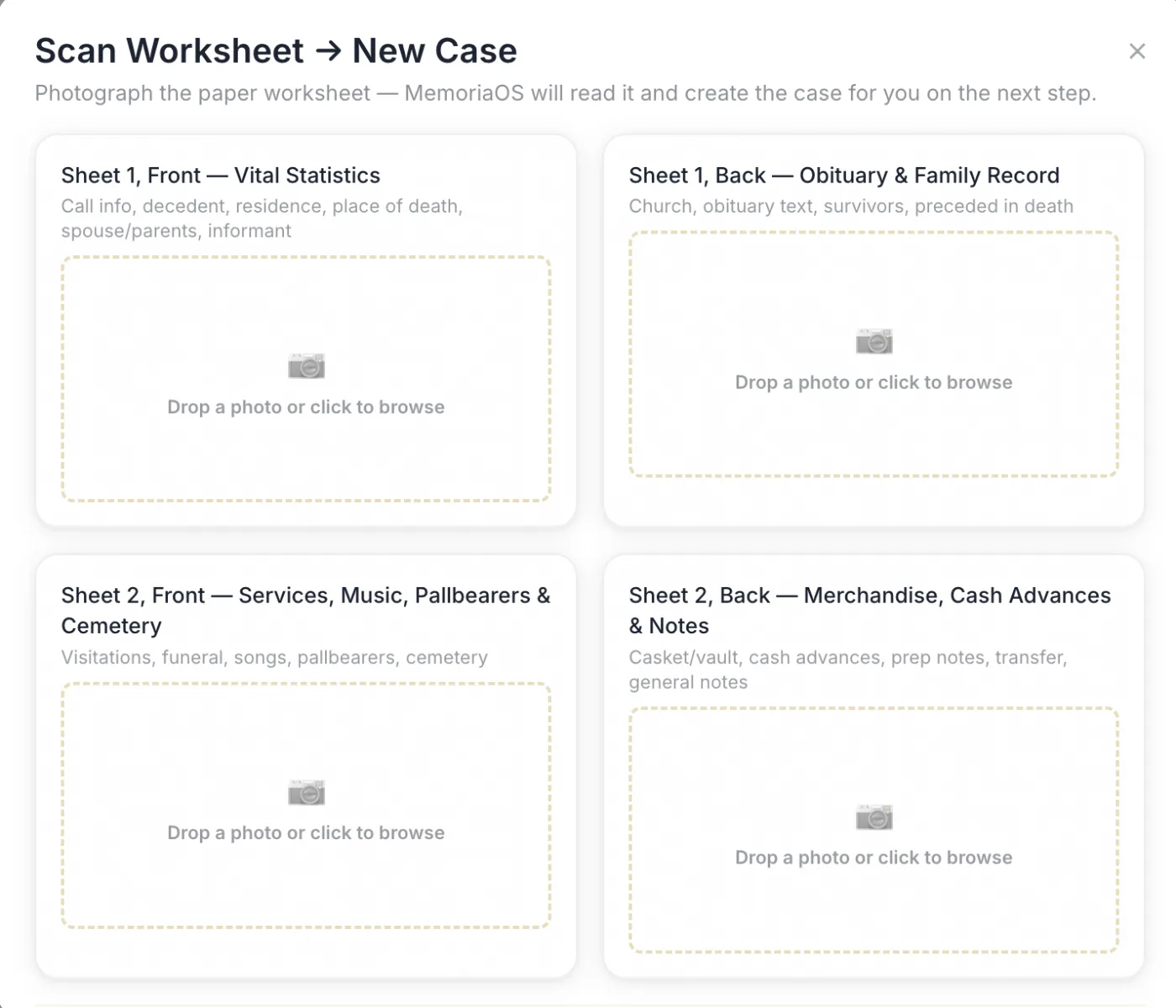
Keep the Pen and Paper. Skip the Double Entry
Prefer taking notes by hand during an arrangement conference? Keep doing it. Scan your completed worksheet into MemoriaOS and OCR turns that information into case data, and can even create the case itself.
- Scan handwritten arrangement worksheets
- Turn captured information into case data
- Reduce repetitive data entry and the errors that come with it
Case Dashboard
See What Needs Your Attention at a Glance
Case cards give you a clear view of active cases and the information you need most, without digging through menus or opening each case individually.
- View pertinent case information from one dashboard
- Quickly see where active cases stand
- Keep important information visible when you're managing multiple cases at once
“When everything is in view, nothing important gets missed.”
“When everything is in view, nothing important gets missed.”
Obituaries & Notices
Start With the Information You Already Have
Generate an obituary or death notice using information already entered or scanned into the case. Add personal details like hobbies and personality traits, then choose between paragraph or block formatting for family members.
- Generate drafts from existing case information
- Personalize with hobbies, traits and family details
- Add survivors and predeceased family members without entering each person individually
“Spend more time honoring a life, not formatting a document.”
“Spend more time honoring a life, not formatting a document.”
Family Communication
Every Conversation in One Case
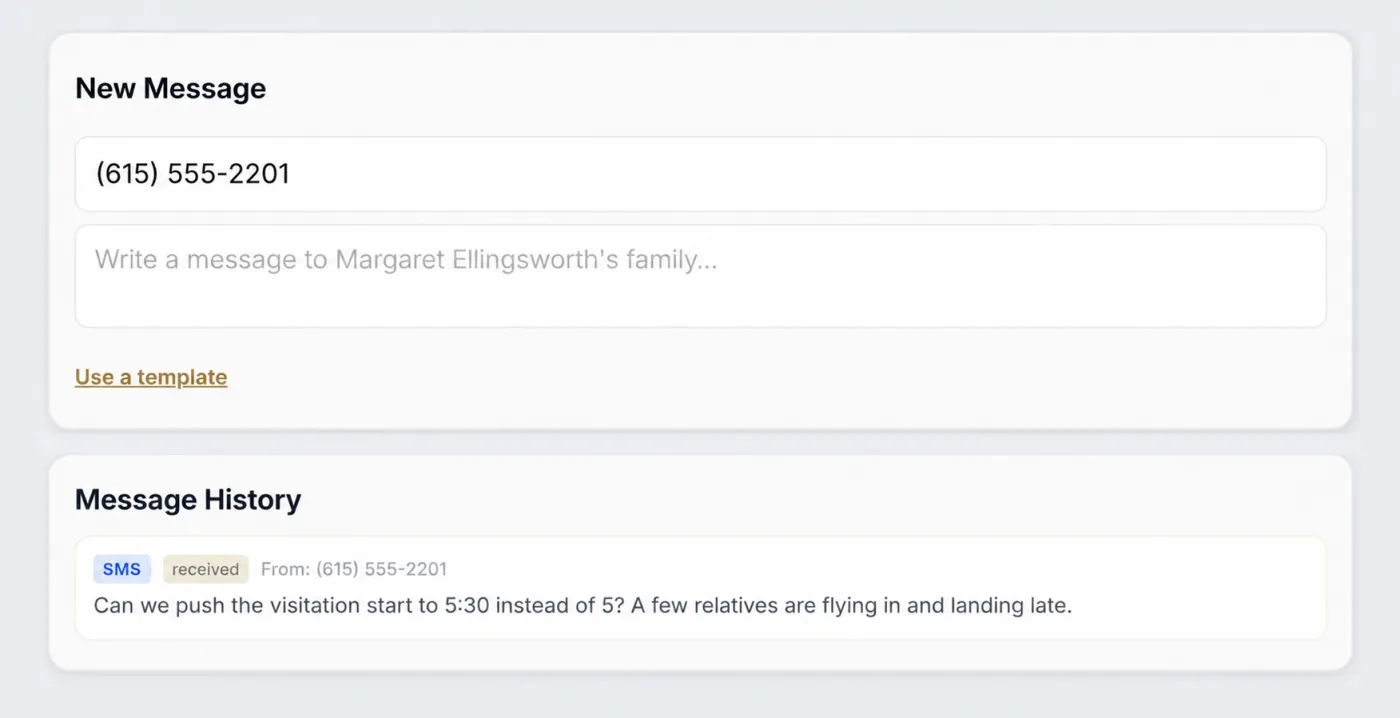
Keep family communication in one place with email and text tied directly to each case. Staff can see what's been said, who said it and where the conversation stands, making it easier for anyone on the team to pick up where someone else left off.
- Keep email and text communication together
- Use message templates for common conversations
- Automate aftercare follow-ups and Google review requests
“The strongest relationships are built through consistent communication, not searching through emails, texts and notes.”
“The strongest relationships are built through consistent communication, not searching through emails, texts and notes.”
Family Experience
Give Families Space to Grieve, Not to Wait
Families shouldn't have to sit in your office to plan a service, and staff shouldn't have to re-key what a family already told them. MemoriaOS gives your team a guided presentation for the arrangement conference, and gives families their own secure way to plan before they ever walk in — or without a case started at all.
- Arrangement Mode — Walk families through a full-screen, step-by-step presentation built for the conference room
- Family Portal — A branded, PIN-protected space where families with an active case complete intake and browse your Selections Catalog on their own time
- Public Planner — Let anyone start planning before a case exists — ideal for pre-need and imminent-need families who aren’t ready to come in yet
“Grief doesn't keep office hours. Neither should the way families reach you.”
“Grief doesn't keep office hours. Neither should the way families reach you.”
Financials & Reports
Keep a Clear View of Your Financials
Get a clear picture of your funeral home's finances without jumping between systems. MemoriaOS brings essential financial information and reporting into the same platform you use to manage cases and operations.
- Track disposition and expenses
- View total revenue and P&L
- Review performance by director
“Confidence starts with knowing exactly where your business stands.”
“Confidence starts with knowing exactly where your business stands.”
Team & Scheduling
Keep Your Team Organized
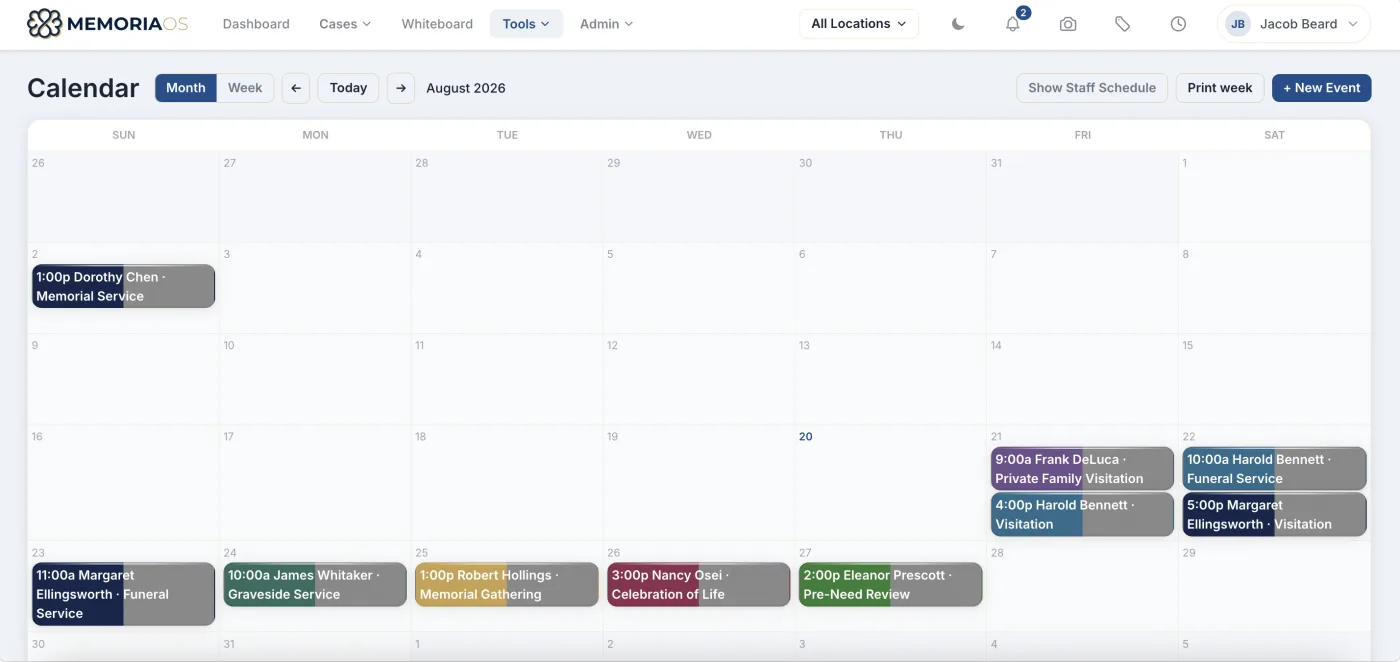
Handle essential scheduling and timekeeping in the same system your team already uses every day. MemoriaOS gives managers and employees the tools to keep schedules, hours and time off organized.
- Create and manage staff schedules
- Track employee hours and timesheets
- Manage PTO for employees and managers
“A well-organized schedule keeps your entire team aligned, so every family receives the attention and care they deserve.”
“A well-organized schedule keeps your entire team aligned, so every family receives the attention and care they deserve.”
Everything Connected, Nothing Overlooked
Keep every part of your funeral home connected in one platform so your team spends less time searching, switching systems, and repeating work.
See How MemoriaOS
Fits the Way You Work
See how MemoriaOS brings your cases, communications and day-to-day operations together in one place.